5 Tips to Sell Better on eBay
 There is a marketplace for every product, and at an increasing rate, the best place to sell your item is online. One of the most reputable places to sell items online without starting your own website is eBay – the world’s largest marketplace where a person can buy or sell products and services to a global audience
If you are selling on eBay, check out these five tips to boost your sales:
#1 List Your Item in the Correct Category:
One of the first things that eBay has you do is choose a category for eBay to list your product in. Picking the right category is key because potential buyers pay attention to categories when looking for items that they want to buy. When you begin posting your item, eBay will prompt you to describe your item in a few words. If the categories that automatically pop up aren’t right for your product, try choosing new keywords. You can even choose multiple categories if you’re not sure. This first step can be the difference between your item selling for $10 and $100.
#2 Add Keywords to Your Item Title:
You don’t get much space for an item title, so you need to maximize your keywords to entice potential customers to view your item. Keywords are everything on eBay, so make sure your item title includes a brand name/manufacturer, material, color, and any other applicable descriptor. Only if you have room should you mention the item’s condition in the title.
The description of your product should be clear and concise. You should be honest about the condition of your item and mention any policies you have about eBay sales. Avoid using all caps which many buyers find obnoxious.
#3 Don’t Forget the Power of Pictures!:
Sellers on eBay will focus on pictures of your item because they want to make sure they know what they are getting. Bring your item into a well-lit room and place it on a neutral space, such as hanging in front of a closet, laying on a nicely-made bed or sitting on an empty table. Take pictures from multiple angles if necessary. If there is any damage to the product, take a detailed picture of it. The pictures should be small enough to load quickly and be clear, crisp and well-lit.
#4 Start with a Low Starting Bid:
eBay has a great feature that tells you how much your item sells for on average on its site. However, numbers can be deceiving. If you’re selling a popular product, you won’t want to set a high bid price because it’s less likely that potential buyers will bid on your item. Lower bid prices also can lower your insertion fee.
Start by setting a bid that’s between 25% and 50% of your item’s listed value with wear and tear taken into account. Then set a reasonable “Buy It Now” price that’s between 75% to 100% of your item’s value. Soon enough, you’ll have a bidding war on your item.
#5 Save on Package Shipping:
eBay sellers often use shipping and handling as a profit center, so the extra fees can increase the price of your product quickly. If your shipping costs are higher than other sellers, you could be losing sales every day.
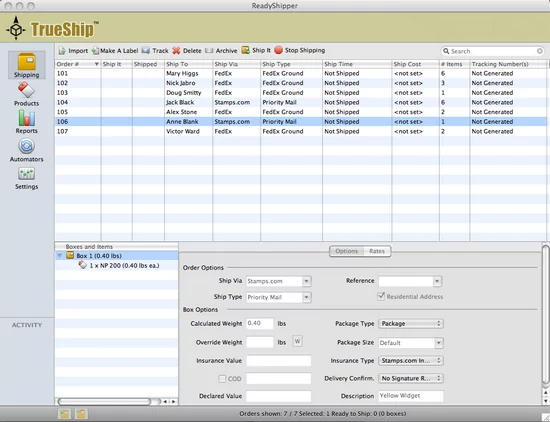
To keep your shipping costs low, try using either USPS First Class (for items 13 oz. in weight or lower) or Parcel Post package shipping when you send items to your buyers. The savings can be as much as high as 30% off Priority Mail. You can also save money and time by using online shipping software such as Stamps.com. The shipping software allows you to print all USPS mail classes including Media Mail, First Class Mail International and Parcel Post and includes discounts for Priority Mail and Express Mail.
Stamps.com is currently offering a free program for eBay sellers that allows you to import sales order data directly from eBay into Stamps.com – no cut and paste required. eBay Sellers will have access to great Stamps.com shipping features including hidden postage, discounted rates for Priority Mail and Express Mail, and Customs forms integration for international shipments. Most importantly, you can print First Class Mail International labels and insure your products up to $2,500 instead of the $500 limit that other shipping programs have.
Sign up for the free eBay shipping program now at: http://www.stamps.com/ebayfree4
 If you’re not planning on submitting your tax return electronically, it’s a good idea to use